
At Raznameh, we believe a crisis is not a time to stop.
Instead, it's a time for <strong>'strategic surgery'</strong> and intelligent action. We help you avoid the survival trap and use this opportunity to get ahead of your competitors."
Instead, it's a time for <strong>'strategic surgery'</strong> and intelligent action. We help you avoid the survival trap and use this opportunity to get ahead of your competitors."
Clinic platform · built for mental health practices
Your team stops typing the same appointment into four places, and you open one page each morning that tells you what needs attention today.
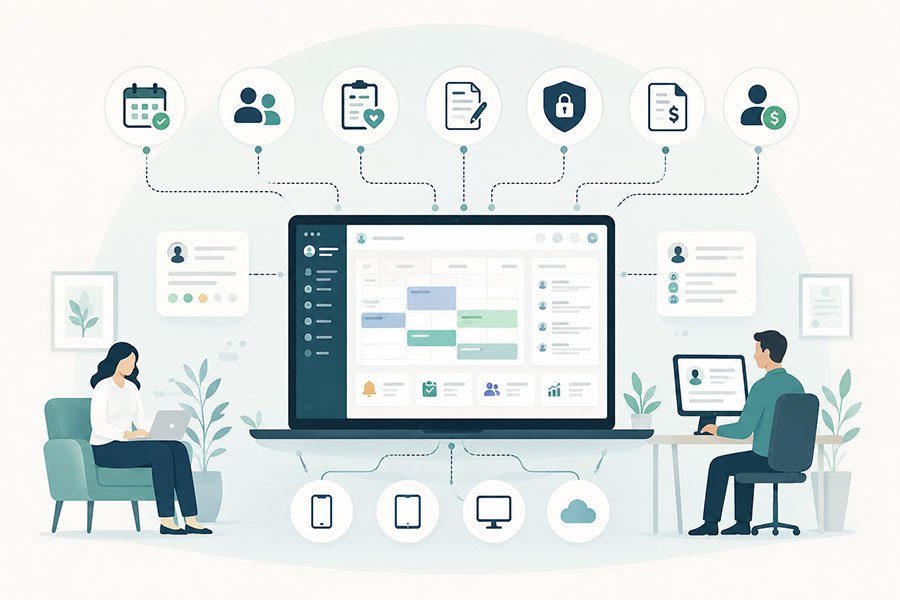
Booking, care programmes, clinical notes, consent, invoices and clinician pay all sit on one record. Nothing is re-entered, and nothing falls between two systems.
What makes it different
Most clinic software shows you what went well. This one shows you what is out of line.
The booking, the payment, the invoice, the signed consent form, the clinical note and the clinician's pay are the same piece of information seen from different angles.
Reports hold only the things that need doing. Sessions never closed off, notes never written, clients who paid and stopped coming. A blank list means there is nothing to chase.
Documents are encrypted one by one and every time a record is opened it is written to a log nobody can edit. Being an administrator grants no right to read a file.
Why we built it
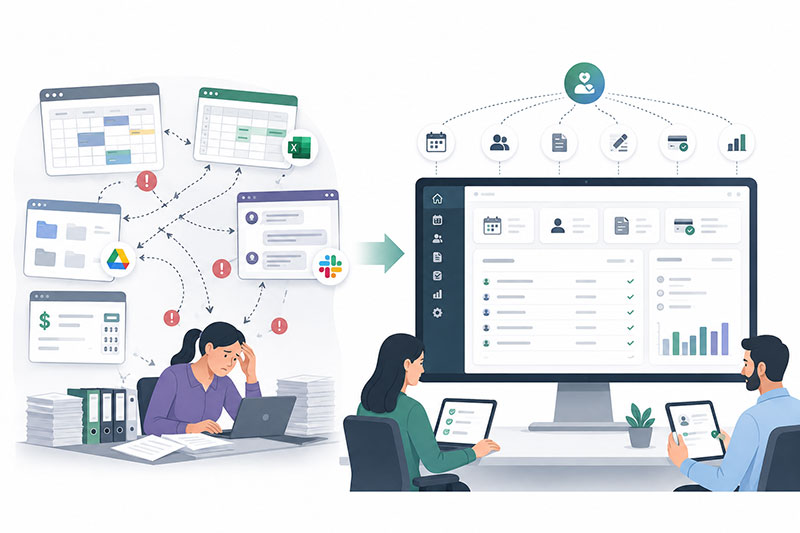
Every clinic we sat with was running five tools that knew nothing about each other. A booking system, a spreadsheet, a shared drive, an accounting package and a messaging app.
So the same appointment got typed in four times. Reception spent mornings phoning people for forms with no record of who had been asked. Notes were written days late, or not at all, and the clinic found out at audit. Someone would pay for six sessions, book two, and quietly disappear without anybody noticing until the credit expired.
None of that is a clinical problem. It is a plumbing problem, and it was eating a day a week from people who trained to do something else.
You should not need three systems open to answer whether a client has paid and been seen.
So we built one record that everything hangs off, and reports that only ever list what needs attention. Nothing here is clever. It is the ordinary work of a clinic, joined up.
How it is built
Every clinic runs differently, and most software makes you run its way. These three choices are why this one bends to your practice rather than the other way round.
Your services, fees, cancellation bands, clinician terms, note deadlines, retention periods and reminder schedules are settings. Changing your policy is an afternoon, not a project.
Booking, forms, consent, uploads and rebooking sit on the client's own screen with due dates and automatic reminders. The chasing your team does by phone stops being a job.
Rates are shown per available hour with the numbers behind them, small samples are hidden, and what a clinician controls is kept apart from what the clinic controls.
Where the week gets shorter
Clinics name the same four things when we ask where the admin day goes. Each one is removed rather than made faster.

Clients book, move and cancel against the hours each clinician published. Your cancellation rules apply on their own, and the fee is shown and paid before the client confirms.
Forms, questionnaires, consent and documents appear on the client's screen with a due date and an upload button. Every reminder sent is logged, so a delay can be evidenced.
A session delivered becomes an invoice, and an invoice paid becomes what the clinician is owed. Nobody reconciles a spreadsheet against a diary at the end of the month.
A cancelled slot is offered straight to the next client waiting instead of becoming a lost hour. On its own, this one feature usually covers what the system costs.
Sessions bought but never booked are listed with their expiry date, alongside clients who have not been in for three weeks and have nothing booked next.
Each clinician's share is fixed to the terms in force when the session was booked, and a payment run opens on its own when the cycle closes. One statement per person.
The one page you open each day
One email arrives before the day starts and every line is a link. You work only the things that are out of line, and a zero means there is nothing there.
Two views of the same week
Rooms and clinicians are the two things a clinic runs out of, and they run out separately. Each has its own calendar, and both show the gaps as clearly as the bookings.
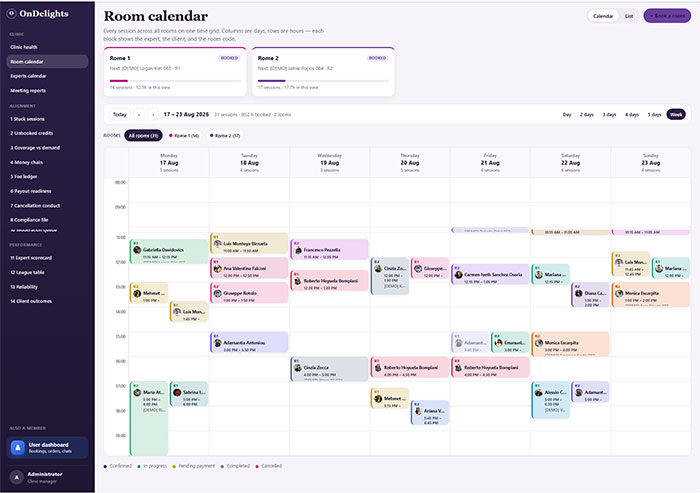
Every consultation room across the week in one view. Two sessions cannot land in the same room, and the empty spaces are visible, so you can see whether you are short of rooms or simply booking them badly.
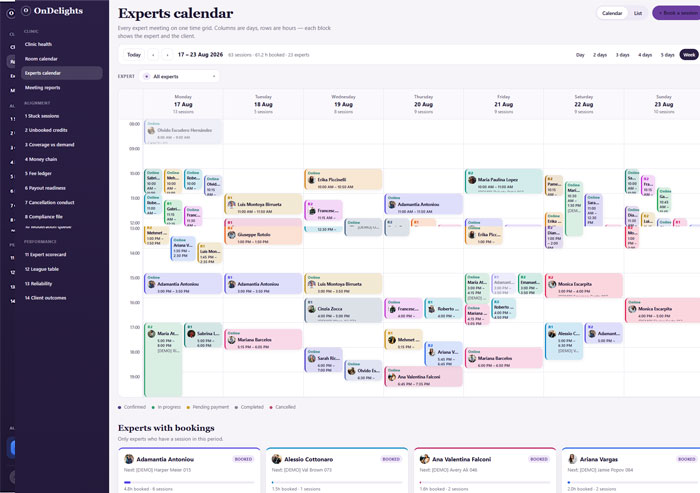
Every clinician on a single grid, so you can see who is fully booked, who has published no availability, and where cover is needed before somebody goes on leave rather than after.
The complete system
Nothing here is hidden behind a sales call. Filter by area or search for whatever you are wondering about. If it is in the system, it is on this page.
0 of 0 shown
Nothing matches that. Try another word.
Three dashboards
A client, a clinician and a practice manager sign into the same system and land somewhere different. Nobody is handed a screen built for someone else's job.
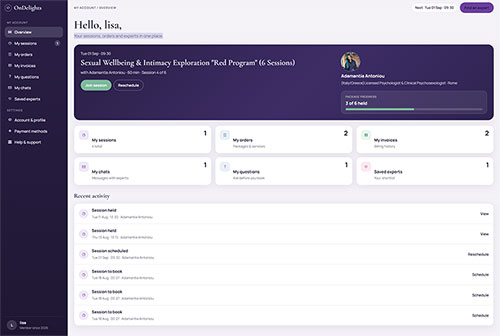
For clients
Sessions booked and sessions left, the next appointment with its joining link, invoices, and a clear list of anything the clinic is still waiting on from them.
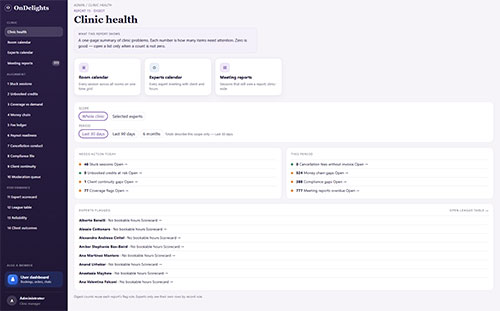
For the practice
Counts across every exception list, each one a link into the detail. Notes overdue, credits unbooked, fees uncharged, payments outstanding. Zeros mean there is nothing to do.
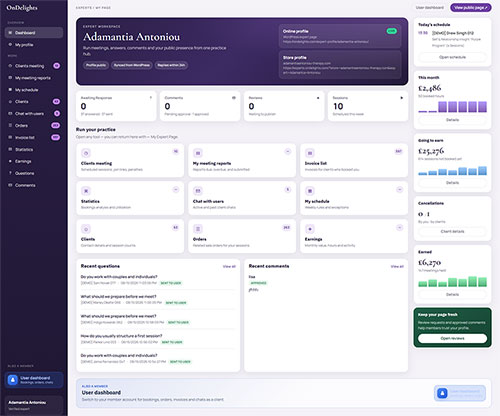
For clinicians
Their diary, their caseload, notes still to write and what they have earned this month. Their figures only, and no league table on their own page.
Everyone gets their own view
Nobody wades through screens built for somebody else. Each person opens the system and sees what is theirs to do.
A proper app rather than an email trail, which is what makes reminders, forms and rebooking actually work.
Their own diary, caseload and earnings, and never anyone else's. There is no league table on a clinician's own page.
Two questions nobody else answers: is our record true, and how are our people doing. Most of these lists hold only what needs attention.
One record, start to finish
Each step writes to the same record. That is the whole idea.
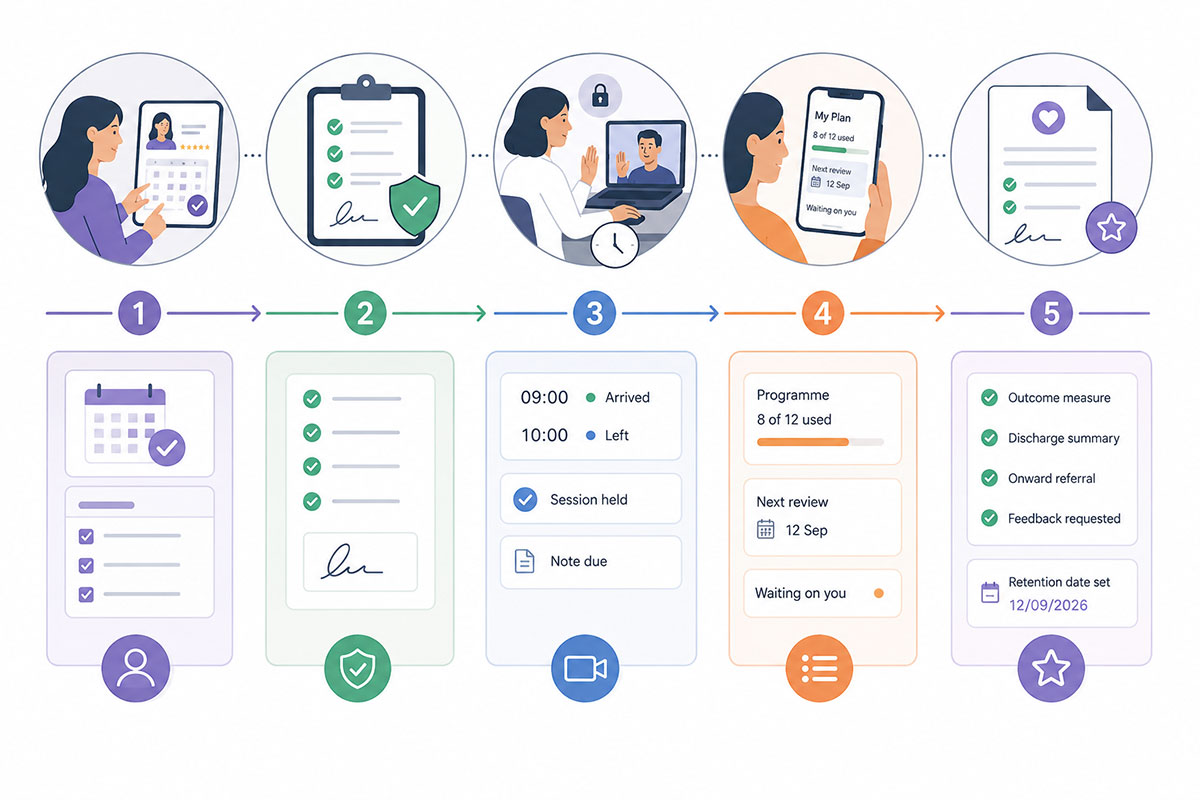
They read clinician profiles, see fees and real availability, answer the intake questions for that service, and book without phoning anyone.
Terms accepted, consent signed, age confirmed, questionnaires returned. The clinician opens the session with what they need already on the record.
In the room or on secure video, with arrival and leaving times captured. The session is marked as held and the note becomes due.
They can see what is used, what is left, which review point comes next, and anything the clinic is still waiting on from them.
Outcome measure repeated, discharge summary written, onward referral made if needed, feedback requested and the retention date set. A programme cannot be quietly abandoned.
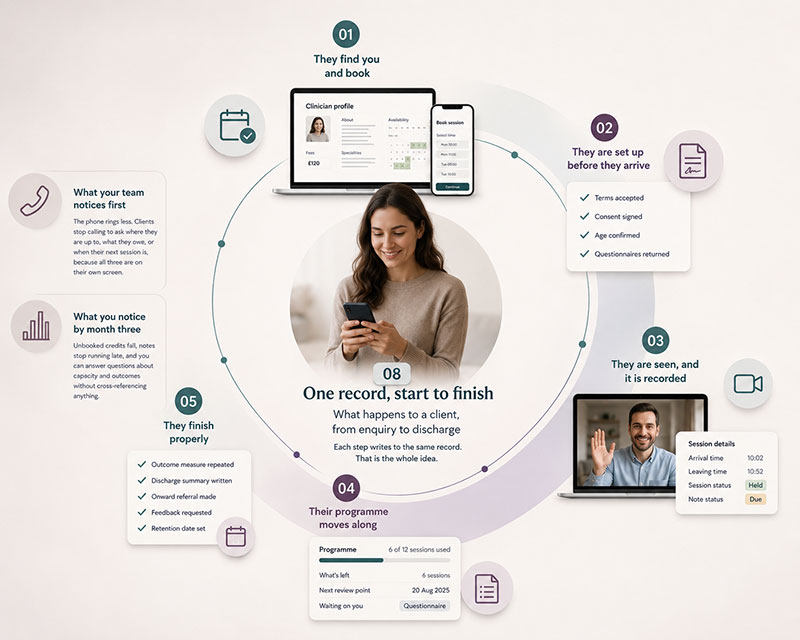
The phone rings less. Clients stop calling to ask where they are up to, what they owe, or when their next session is, because all three are on their own screen.
Unbooked credits fall, notes stop running late, and you can answer questions about capacity and outcomes without cross-referencing anything.
Records and confidentiality
Encrypted documents cannot be searched by their contents. That is what encryption means, not a shortcoming here. Documents are found by client, type and date. Any supplier promising both full encryption and full-text search of the same files is glossing over something.
Ways to work together
The clinic keeps working throughout. Nobody switches everything on at once and hopes.
Pick a single service or a small team and run it end to end for a few weeks. Everyone learns the system on real work, and the rest of the clinic carries on as it is.
Booking, sessions, notes and invoicing come first because you use them daily. Programmes, questionnaires, learning and the client app follow once your team is settled.
Existing clients, sessions already paid for and open balances are brought across, so nobody loses credit they bought and no invoice goes missing in the change.
One installation serves them all, each with its own name, look and settings, and each keeping its data separate as a matter of structure rather than a promise.
The platform can be delivered as a multi-language system, including languages written right to left, with local date formats. Which ones are included is your decision.
A few weeks of tuning while real use shows what needs changing, then short training per role rather than one long session nobody remembers.
See it with your own numbers
Half an hour, no slides. Tell us how many clinicians you have and how many sessions a week you run, and we will show you the same screens with your shape of practice in them, including the parts that would not suit you.